Give it your business details.
Share what you sell, who you help and examples of work you like.
THE STEP-BY-STEP COURSE FOR BUILDING YOUR OWN AI TEAM
Then build the team your business has been waiting for.
Inside Zero Employee Entrepreneur, Ben Angel teaches you how to build, train and manage AI employees inside the AI platform you already use. Start with the included Theo setup file, then learn to create the team your business needs.
No coding experience needed. You don’t need to know how to build an AI team before you start. That’s what the course—and Theo—help you learn.
Start The Foundation and The Mission instantly. The remaining four modules unlock weekly. Learn at your own pace, with personalized support from Ben.
BUILD IN THE AI YOU CHOOSE
 Perplexity
Choose one paid plan: ChatGPT, Claude, Perplexity or Grokbot. The lesson includes setup instructions for each.
Your AI subscription is purchased separately. Available tools, integrations and automation vary by platform; extra tool or usage charges may apply.YOU STARTED A BUSINESS.
The post you haven’t written. The prospect you haven’t followed up. The invoice you keep meaning to check. Your expertise is the business—but the work around it fills the day.
What would you hand over first? Learn to build an AI employee around that job, then give it your business knowledge, the right tools and a clear standard for good work.
YOUR FIRST EMPLOYEE HELPS BUILD THE REST.
You don’t start from a blank screen. You get Theo’s setup file and step-by-step instructions. Add details about your business, then follow his guidance to create your next teammate.
The Foundation and The Mission are available immediately. Start with Module 0: The Foundation. Your first 60 minutes are about installing and personalizing Theo for your business. Then he helps you choose your next teammate and work out what to build first as the remaining modules unlock weekly.
IF YOU CAN NAME THE JOB, YOU CAN BUILD THE AI EMPLOYEE.
Who will you create first? Someone to help develop your next big idea? Research your next client? Keep the follow-up organized? Explore the roles, then build your own versions.
Theo comes as a file you install and personalize. The other characters are examples of custom employees you’ll learn to build with his guidance.
Illustrative output. Not a live agent or a student result.
YOUR NEXT EMPLOYEE STARTS WITH…
Name a task you want help with. See how a job becomes a role you could build.
YOUR GOAL DESIGNS THE TEAM
More customers. Content worth sharing. A business that’s easier to run. Start with what you want to achieve, then learn to create the AI teammates that move it forward. You choose their jobs, teach them your business and connect their work.
For example: you want more people to discover your services.
You could build an angle finder, a content specialist and an outreach assistant. Explore how their work could fit together below.
Illustrative drafts, not measured results. You review each step. Automated handoffs require supported tools and configuration.
THE SETUP BEHIND THE SIMPLE REQUEST
“Can you handle this?” looks simple. Useful work depends on the setup behind it. Learn what to teach your employee, how to connect its tools, how to test it and what to change when the result misses the mark.
Share what you sell, who you help and examples of work you like.
Give it one clear job and an example of the result you want.


Learn how to connect the apps it needs and choose what it can access.
Choose what it can prepare on its own and when it should check with you.
Start small, check the result and spot anything it needs help with.
Explain what needs changing, update its instructions and try again.
Improvement is a process you manage. AI does not automatically learn permanently from every conversation.
YOUR AI BUSINESS BRAIN
Teach each employee the context behind its job. Keep that information organized so you can reuse and update it.
“We help businesses grow with innovative solutions. Let’s connect.”
LESS RECONSTRUCTING. CLEARER DECISIONS.
Learn to build an employee that separates prepared work from unanswered questions. Set rules that make review useful.
Illustrative review exercise. Nothing is sent or connected to a live system.
“Thanks for the call. I’ll send the proposal by [confirm date].”
Flagged: The meeting notes did not include a delivery date.
The employee asks instead of inventing a commitment.
PICTURE YOUR BUSINESS WITH HELP
The team changes. The starting point is the same: one job you wish someone else could help with.
I started as a beginner. Now I know how to build the help I need.
“Ben inspired me to create an AI employee for whatever I was working on that day. I made Jane to help edit my videos, then Ralph to prepare the captions and schedule the approved posts. Two weeks later, I had a whole team with clear jobs—and I started as a complete beginner. The biggest change? When another task landed on my plate, I knew how to build someone to help.”
From starting every proposal again to having a team prepare it.
“Proposal preparation kept pulling me away from client work. I created Iris to turn my discovery notes into a first draft using my services and pricing rules. Then I made Hugo to check for gaps and Tess to prepare the follow-up. I still make the recommendations and approve the promises. Now I have a team helping me get to that point.”
I help clients make a plan. I built a team to help with mine.
“I was helping everyone else get organized while rebuilding my own plan each week. I created Ada to organize my priorities, then Felix to turn my session notes into draft action plans. June prepares the reminders for me to approve. Giving each one a clear job gave me a process I can review, instead of another pile of notes to piece together.”
I gave the paperwork its own team.
“After a day on site, I still had customer updates and invoice admin waiting for me. I created Finn to turn my job notes into update drafts, Ruby to organize invoice details and Oscar to track unanswered questions. I check the details before anything goes out. The difference is that I have something ready to review, instead of starting every piece of paperwork myself.”
I made a team for the work that comes after recording.
“Recording a video was only the start. I created Bea to help find short clips using the editing tools I connected, then Max to prepare captions and schedule the posts I approve through my publishing tools. I still choose the final cuts and what goes live. Now each part of getting a video out has a teammate with a clear job.”
I built help around the creative work, one job at a time.
“Every new project came with research, brief preparation and a long list of checks. I created Nico to gather references, Esme to turn the client brief into a creative checklist and Kit to review drafts against it. I still choose the direction and check the sources. My team helps organize the preparation, so I can spend more of my attention on the creative decisions.”
MEET YOUR INSTRUCTOR · BEN ANGEL
Bestselling author. Entrepreneur Magazine contributor. Your course instructor.
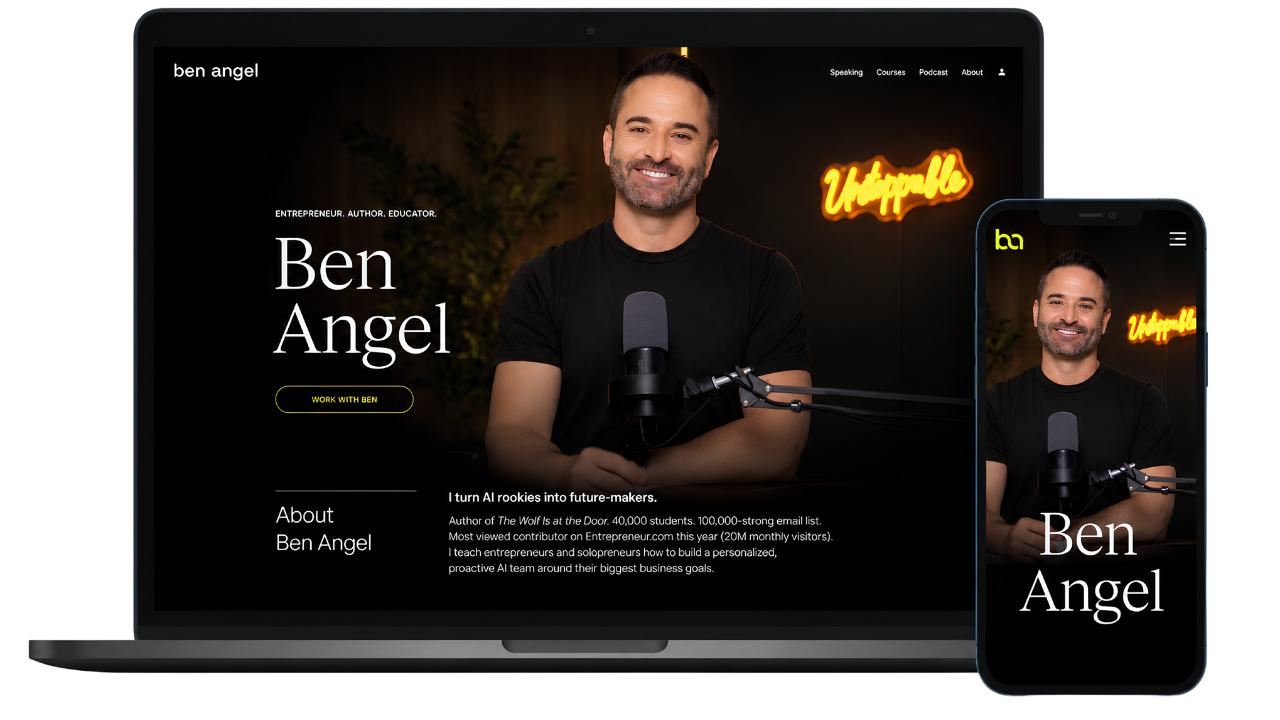
I’m Ben Angel. For 20 years, I’ve helped entrepreneurs adapt and grow. Now, I’m here to help you build your own AI team.
Over the past 3+ years, AI has been my co-pilot—helping me save over $100,000 and serving as the editor for my latest book, The Wolf is at The Door: How to Survive & Thrive in an AI-Driven World, published by Entrepreneur Magazine.
With 3,000+ hours of research behind that project, I bring straight-shooting, fluff-free teaching to Zero Employee Entrepreneur. This step-by-step course takes you from setting up Theo to building, training and managing the AI teammates your business needs.
You don’t need a tech background. Bring the work you want help with. I’ll teach you how to build the team.
ZERO-EMPLOYEE ENTREPRENEUR
Hi Sam, thanks for today. I’ll send the revised homepage outline, then we can confirm the final direction.
You decide. Ellis prepares the work.
Illustrative workflow · an example of an employee you learn to build.
Learn to create your own AI teammates and customize them for your business, goals and day-to-day work. Set aside one hour a week over six weeks, with a new module opening each week.
YOUR SIX-WEEK LEARNING PATH
The Foundation and The Mission open immediately. The remaining four modules unlock weekly. Follow the lessons on your own schedule, with lifetime access to revisit them.
A 30-day build guarantee.
Complete The Foundation and install Theo to qualify. See the guarantee and how to request a refund.
YOUR NEXT ROLE: TEAM LEADER.
An agency can build a custom solution for you. ZEE teaches you how to create your own AI employees, connect your tools and maintain your team as your business grows.
Done-for-you services and training are different purchases. Agency costs depend on scope; published estimates ↗ include wider ranges. The $5,000–$10,000 band is illustrative, not a like-for-like quote.
Set aside one hour a week. Learn at your own pace.
Get the ZEE course — $99 ↗Requires one paid plan on ChatGPT, Claude, Perplexity or Grokbot, purchased separately. Additional integrations and usage fees may apply.If you haven’t built at least one working AI specialist and the foundations of your AI Chief of Staff within your first 30 days of access, you can request a full refund.
To qualify: complete Module 0: The Foundation and install Theo, your SoloStack Coach.
Request your refund within those 30 days by emailing info@areyouunstoppable.com.
BEFORE YOU BUILD
You get instant access to Module 0: The Foundation, where you install and personalize Theo, and Module 1: The Mission, where you choose your goal and map the work. The remaining four modules unlock weekly. The course includes recorded videos and written lessons, and you can work through each released module on your own schedule.
Plan for one hour a week over six weeks. The first 60-minute setup focuses on Theo; you build and test your wider team as you progress. If you need longer, your lifetime access lets you return to the lessons whenever you’re ready.
Free lifetime access to the course and community is included with your one-time purchase. Revisit the lessons whenever you need a refresher or want to build another teammate. Weekly course updates are included too.
Ask your questions in the community. Ben Angel personally answers and provides personalized support to help you work through the setup and customize your teammates. Community membership is included for life.
Yes. Start with Theo’s included setup file and the step-by-step lesson for your chosen platform. Tell him about your business and the work you need help with, then follow the course to create and test your next teammate. You can ask Ben for help in the community.
No coding experience is required. You’ll learn to give each teammate a clear job, share your business knowledge and check its work. Follow the setup steps and start with a practical task you can review.
You need a paid plan on one of these platforms: ChatGPT, Claude, Perplexity or Grokbot. The lesson includes individual setup instructions for each, so you can choose the one you want to use. Your AI subscription is separate from the course price. Additional integrations and usage fees may apply. Features such as memory, scheduling, tool access and automated handoffs vary by platform and plan.
You’ll complete the Theo setup in Module 0: The Foundation. Install him using the supplied file and personalize him with your business context and goals. The 60-minute promise covers setting up your SoloStack Coach; you learn to create and customize the rest of your team through the later modules.
You’re buying Zero Employee Entrepreneur, a course taught by Ben Angel, with recorded videos, written lessons and lifetime community membership. Theo’s setup file is included. You learn how to create your own teammates and customize them for your business inside your chosen AI platform.
If you haven’t built at least one working AI specialist and the foundations of your AI Chief of Staff within your first 30 days of access, you can request a full refund. To qualify, you must complete Module 0: The Foundation and install Theo, your SoloStack Coach. Email info@areyouunstoppable.com within those 30 days to request your refund.
They work within the capabilities and permissions you give them. Some work is drafted for your review; some can be connected to tools or automated where supported. You learn to set boundaries and check quality before relying on the output. The bookkeeping example does not replace a qualified accountant.
No. Start with your own business goals and build the roles that support them. Theo comes with the course; the other characters show examples of teammates you can learn to create and customize for your own needs.